Best chess visualization platforms, six places to train and keep score

Best chess visualization platforms are a different question from which site to open tonight. A platform is the place you come back to for months. You make an account there, your results pile up, and ideally you can look back and see that you're getting better. So for each one I've asked what the whole platform covers, what it keeps track of, and what you'd still have to get somewhere else. I'm a chess coach and I built Peekchess, which is first here, and I've said plainly where it falls short.
I checked each platform again on 26 November 2026, and the rest comes from our own pages checked between 18 and 20 November. Prices change, so check before you pay.
What a chess visualization platform should do for your calculation
Visualization is a means to an end. In a game you hold the position in your head so that you can calculate a line from it, and if the picture slips on move three, the line is gone. A platform worth settling on should train that, and it should also show you whether it's working.
- Does the training reach calculation? Naming squares is a start. Holding a whole line while the board stays where it is, that's the goal.
- What does it keep track of? A rating, a history, levels finished, or nothing you can look back on.
- What else lives there? Games, lessons, analysis or a community, so you aren't jumping between five accounts.
- What would you still need? No platform does everything, and it's better to know the gap before you settle in.
- What does staying cost? A free plan you can live on, or one you'll outgrow in a week.
Chess visualization platforms compared, for calculation
| Platform | What the platform covers | What it tracks | Where visualization fits | What you'd add from elsewhere | Cost to stay |
|---|---|---|---|---|---|
| Peekchess | Calculation puzzles, visualization drills, a daily puzzle, a free report on your games | A puzzle rating, puzzle stats, how far ahead you can see | At the center, every puzzle is played over a still board | Games to play, an analysis board, courses | Free for 10 rated puzzles a day, Pro $7.99 a month or $59.99 once for life |
| Lichess | Games, tournaments, puzzles, studies, lessons, analysis with Stockfish | Ratings for each speed, game insights, a Puzzle Dashboard | On the side, a coordinates page and a Blindfold switch | A step-by-step visualization path | Free, Patron is optional |
| Chess.com | Games, lessons, Game Review, puzzles, bots and a coach | Game ratings, a puzzle rating, a streak, your history | On the side, Vision drills and a Blindfold variant | Anything between Vision and a full blind game | Free account, Gold $6.99 a month or $49.99 a year |
| ChessVis | Puzzles, visualization drills, blindfold games, opening work, AI game analysis | None that I could find on its home page | At the center, visualized puzzles and stepping stones to blind play | Progress tracking I could confirm | Free to begin, subscription price not listed |
| Dark Squares | 22 exercises over 7 levels, games against the AI, voice play | Your progress through the levels | At the center, from square colors to blind games | Everything that isn't visualization or blind play | Free Forever €0, Pro Lifetime €39 once |
| Don't Move Until You See It | 1,200+ exercises, a Foundations Course, group coaching, forums, a podcast | Nothing mentioned on its join page | At the center, it's the whole method | Games and analysis | $15 a month, $150 a year or $350 once |
1. Peekchess, a home built around calculation
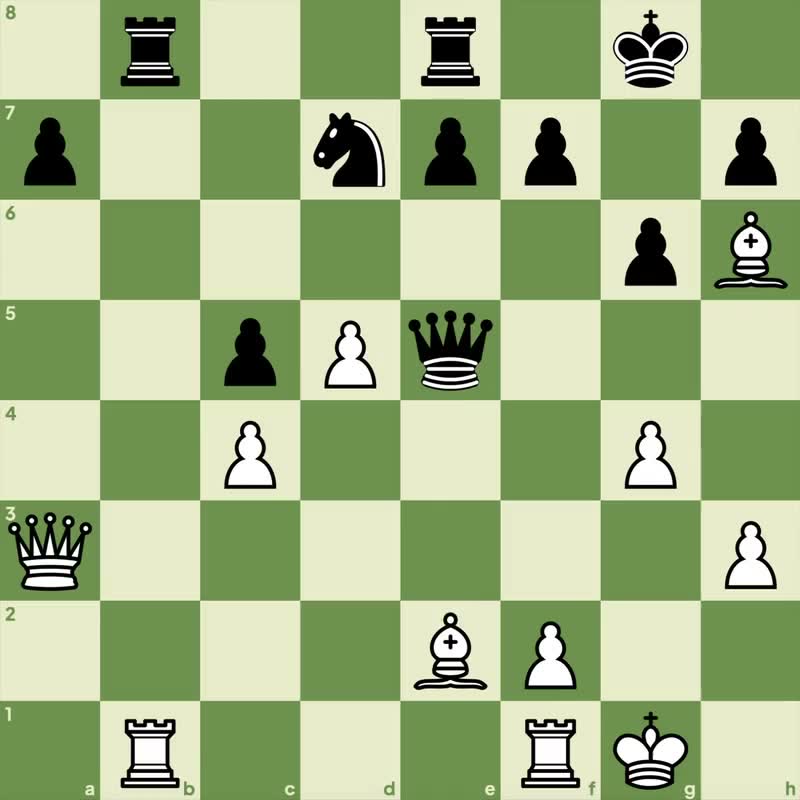
Peekchess is a chess puzzle app that trains calculation. The board stays in view and the pieces don't move. You calculate each line in your head, so you learn to see ahead and stop blundering.
As a platform, Peekchess is narrow on purpose. Everything on it comes back to one thing, holding a line in your head and calculating it to the end. In a puzzle the board stays still and the first moves arrive as arrows, so you start from a position you're already picturing. Then you play every move of the winning line yourself. Each move is checked as you go, the reply is drawn as an arrow, there's no clock, and one wrong move ends the puzzle. I built it from an exercise I'd done by hand with my students for years, so read this with that in mind.
What it keeps for you is a puzzle rating, detailed puzzle stats, and how far ahead you can already see, which the puzzles follow as you get better. There's also a free report that reads your last 250 games and shows what they were lost to. It runs in the web browser on a computer or a phone, and it isn't in the App Store or Google Play. What you won't find is games to play, an analysis board or courses, so it sits next to the place where you play rather than replacing it.
- Best for
- Players who want one place that trains their calculation and keeps score of it.
- Cost
- Free for 10 rated puzzles a day, plus the daily puzzle and visualization drills with no daily limit. Peekchess Pro is $7.99 a month or $59.99 once for life, with 7 days free on the monthly plan.
- Website
- peekchess.com
Pros
- Every puzzle is played over a board that stays still.
- Your rating, puzzle stats and depth, kept in one account.
Cons
- No games, analysis board or courses.
- It runs in a web browser, with no store app.
2. Lichess, a free home where you'd add calculation on top
If I had to pick one free place to live in chess, it would be Lichess. It's an open-source server run by volunteers and donations, with games at every speed, tournaments, puzzles, studies, the basic lessons and analysis with Stockfish, and every feature is free for everyone, with no ads. It keeps a rating for each speed, a Puzzle Dashboard once you register, and insights into your games.
Visualization is the thin part. There's the coordinates trainer, with Find square and Name square, and the Blindfold switch in the board menu that makes the pieces invisible in a game or a puzzle. Nothing takes you from one to the other, and nothing tracks how your picture of the board is coming along. So this is the platform where you'd keep a visualization site open in a second tab.
- Best for
- Your main chess home, for free, with visualization added from elsewhere.
- Cost
- Free, every feature, with no ads. Patron is optional.
- Website
- lichess.org
Pros
- Games, puzzles, studies and analysis in one free account.
- Ratings and game insights over time.
Cons
- Visualization is two small tools, with no path between them.
- Nothing that tracks your visualization.
3. Chess.com, everything in one account, with Vision as a calculation warm-up
Chess.com is the biggest of the lot, and for a lot of players it's already home. On a free account you can play unlimited games, get one full Game Review a day, take one lesson a day outside the beginner course, and solve 3 puzzles a day, with your puzzle rating, streak and history tied to that account. For visualization there's Vision, which drills coordinates and moves against a time limit, and the Blindfold variant, where all the pieces are invisible. Both are on the free account.
For visualization, though, it has a warm-up and a final exam with little in between, and free puzzles stop at 3 a day. Gold, at $6.99 a month or $49.99 a year, removes the ads and the puzzle limit. Platinum, at $10.99 a month or $79.99 a year, adds unlimited Game Review, and Diamond, at $16.99 a month or $119.99 a year, adds coach explanations on all your moves.
- Best for
- Players who already play there and want everything in one account.
- Cost
- A free account covers Vision, Blindfold games and 3 puzzles a day. Gold is $6.99 a month or $49.99 a year.
- Website
- chess.com
Pros
- Games, lessons, review and puzzles in one account.
- Vision and Blindfold on the free plan.
Cons
- No visualization exercise that builds up step by step.
- The free account runs out of puzzles quickly.
4. ChessVis, a visualization platform that grew around calculation puzzles
ChessVis is the closest thing on this list to a full visualization platform from another maker. Its home page lays it out in steps, and the first, puzzles and visualization, is always free and needs no account to begin. That's where you'll find the visualized puzzles, where you play up to 10 full moves (20 plies) in your head before you solve, along with drills like Who's Guarding Whom, Move Following and Static Boards, and blindfold games against engines with stepping stones. Further on there's ChessVis AI, which goes through your games in plain language and flags the turning points, plus opening work.
It runs in the browser, can be installed as a web app, and is on the App Store and Google Play. Two things I couldn't find. Its home page says nothing about stats or a history. And the subscription that unlocks the full blindfold path has no price on its pages.
5. Dark Squares, seven levels toward calculating blind
Dark Squares treats visualization as a course with an end. There are 22 exercises over seven levels, from square colors and coordinates, through remembering positions and blindfold puzzles from notation, to full games with no board, and voice play in 7 languages. It runs in any modern browser and on iOS and Android, and you sign up to start, with no card asked for.
What makes it a platform rather than a drill site is that it tracks your progress through those levels, and the free plan includes that, along with all 7 levels, unlimited exercises and unlimited games against the AI. Pro Lifetime is €39 once for harder drills, all the AI levels, a famous games library, endgames and the method lessons. Its finish line is blind play, so you'd still want a home for the rest of your chess.
6. Don't Move Until You See It, a membership club for seeing before you calculate
Don't Move Until You See It is the one platform here built around a person and a community rather than software. Aiden Rayner runs it. The Conceptualization Club holds 1,200+ exercises and a 12-part Foundations Course, with three guided exercise walkthroughs a week, monthly club coaching, community hangouts, forums and daily challenges, and the join page counts 300+ members. There's a daily podcast too, and a free five-day email course if you want to try the method first.
Membership is $15 a month, $150 a year or $350 once for lifetime VIP, with a 30-day money-back promise. As a home, it gives you people and a method, which none of the others do in the same way. What its join page doesn't mention is any progress tracking, and you'd still play and analyze your games somewhere else. Don't Move Until You See It vs Peekchess puts the two side by side.
- Best for
- Players who want a coach's method and a community to train with.
- Cost
- $15 a month, $150 a year or $350 once, with a 30-day money-back promise.
- Website
- dontmoveuntilyousee.it
Pros
- Monthly club coaching and a community of 300+ members.
- A structured Foundations Course and guided walkthroughs.
Cons
- No progress tracking mentioned on its join page.
- No free plan beyond the five-day email course.
Which chess visualization platform should be your calculation home?
- Pick Peekchess if you want your calculation trained over a still board, with your rating and depth kept in one place.
- Pick Lichess if you want a free home for games, puzzles and analysis, and don't mind adding visualization from elsewhere.
- Pick Chess.com if your games are already there and Vision is enough of a warm-up.
- Pick ChessVis if you want visualized puzzles, blindfold games and AI game analysis under one roof.
- Pick Dark Squares if you want a level-by-level course to blind play that tracks where you are.
- Pick Don't Move Until You See It if you want a method, coaching calls and other players to train with.
If all you want is something to open in a tab right now, see the best chess visualization websites. For why the board should stay in view while you train, what is visualization in chess explains it, and Lichess vs Chess.com compares the two big homes in full.
Questions about chess visualization platforms and calculation
If you're still choosing where to solve puzzles, here are the best chess puzzle apps in 2026.
Which chess visualization platform tracks your progress?
Peekchess keeps a puzzle rating, puzzle stats and how far ahead you can see. Dark Squares tracks your progress through its seven levels, on the free plan. Lichess and Chess.com track your games and puzzles, but nothing I found there tracks your visualization. On ChessVis and Don't Move Until You See It, I couldn't find progress tracking on the pages I read.
Is Lichess or Chess.com better for visualization training?
Neither goes very far. Lichess has a free coordinates trainer and a Blindfold switch. Chess.com has Vision, which drills squares and moves against the clock, and a Blindfold variant, both on a free account. Lichess gives you more for free overall.
Is it worth paying for a chess visualization platform?
Only once the free plan stops you training. Dark Squares and ChessVis give you a lot for free, and Lichess charges nothing at all. Peekchess's free plan has 10 rated puzzles a day plus drills with no daily limit, and Pro makes the puzzles unlimited. Don't Move Until You See It is the one where the main content is paid.
What's the difference between a chess visualization platform, a website and a trainer?
A website is anything you can use in a browser tab. A trainer is one exercise you repeat. A platform is where you keep an account for months, with your history in one place. The same product can be all three, so it comes down to how you use it.
Can one platform cover visualization and everything else in chess?
Not that I've found. The platforms that do everything, Lichess and Chess.com, treat visualization as a side drill, and the ones built for it, ChessVis, Dark Squares and Peekchess, don't replace the place you play. Most players end up with two, one for games and one for training.
Sources behind this calculation comparison
- Lichess, features, about and coordinates
- Chess.com, what each membership gets you, how puzzles work, Vision and membership prices
- ChessVis
- Dark Squares
- Don't Move Until You See It, home page and membership
- Peekchess pricing