Best chess platforms, five places to make your chess home

A chess platform, the way I mean it here, is somewhere you'd make your home. You have an account there, it keeps your games and your rating, it remembers what you've done, and ideally it has something to teach you as well. That's a different question from which site is best for one job. A platform has to be judged as a whole, so for each one I've looked at what it covers, what it keeps track of, what stays free, and what you'd still have to find somewhere else.
I'm a chess coach, and I built Peekchess, which is first here. I put it first because it's the one I'd choose for getting better, but it isn't a place to play, so most players will have it next to Chess.com or Lichess rather than instead of them. I've kept the list short on purpose, five platforms looked at properly rather than everything with a login. Prices and limits are from each platform's own pages, checked in November 2026.
What a chess platform should give you
- Rated games against real people, at the speeds you like, with a rating that means something over months.
- Something that teaches, whether that's lessons, courses or a coach going through your games.
- Puzzles, with a rating of their own, and enough of them to keep going.
- A record of your progress, so you can tell whether the work is paying off.
- Other players, through tournaments or clubs, if you enjoy that side of chess.
- A free plan you can live with, so you know what you're getting before you pay.
- An honest gap. No platform does everything, so for each one I say what you'd still need.
Chess platforms compared as a whole
| Platform | Rated games | Lessons or courses | Puzzles | What it keeps track of | Other players | Free for good | Still needed from elsewhere |
|---|---|---|---|---|---|---|---|
| Peekchess | None | No video courses | More than 6 million, 10 rated a day free | Puzzle rating and progress | Share the daily puzzle with a friend | 10 rated puzzles a day, drills, the daily puzzle | Games to play, courses |
| Chess.com | Unlimited, every time control | A curriculum by chess masters | 3 a day free, unlimited on Gold | Ratings, puzzle rating, game history | Tournaments, clubs, 10m+ games a day | Unlimited games | Unlimited training, unless you pay |
| Lichess | Unlimited, plus 8 variants | The basics, and studies | Unlimited | Ratings by speed, a puzzle dashboard by theme | Arena and Swiss tournaments, simuls | Everything | Lessons past the basics |
| ChessKid | Live games with other kids | 150+ lessons, beginner levels free | 3 a day free | 30 days of games free, reports for parents | Kids from around the world, no chat | Live games, beginner lessons, bots 1 to 3 | A grown-up platform, later on |
| ChessTempo | Unlimited online games | Opening training, 17k+ endgames | Unlimited from 110,000+ | A tactics rating and one per theme | Online games | Tactics, games, engine analysis | Guided lessons |
1. Peekchess, the home for getting better
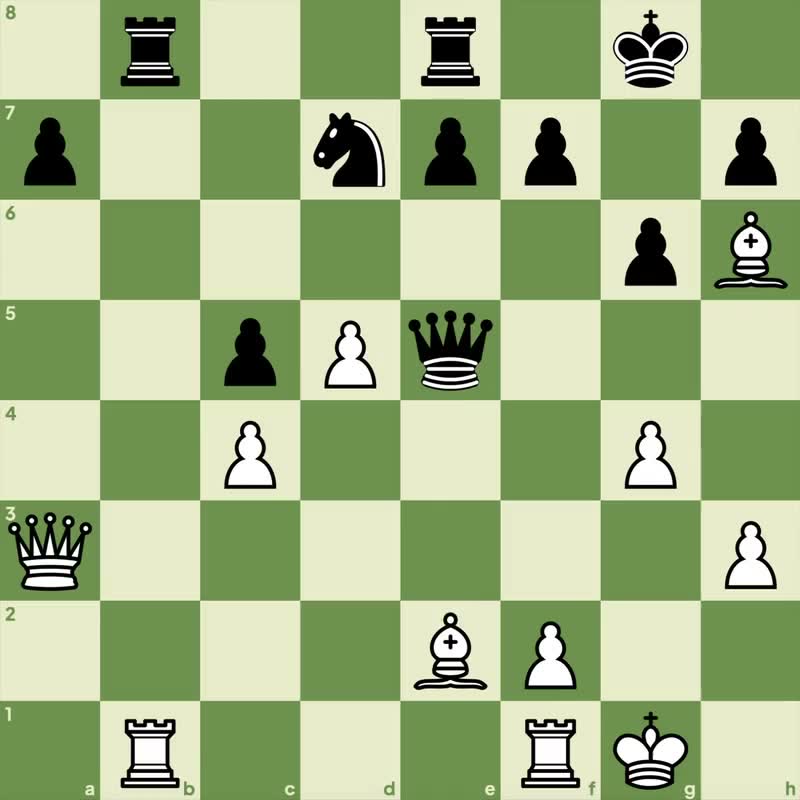
Peekchess is a chess puzzle app that trains calculation. The board stays in view and the pieces don't move. You calculate each line in your head, so you learn to see ahead and stop blundering.
Peekchess is about one skill, seeing the whole line before you move. I'd been working on that by hand with my students for years before I built it. The board stays still. The puzzle's first moves land as arrows on that still board, so you start from a position you hold in your head. Then you play every move of the winning line yourself, each move is checked as you play it, the opponent's reply is drawn as an arrow, there's no clock, and one wrong move ends the puzzle.
As a home it's narrow, and I'd rather say so. There are more than 6 million puzzles and a free account keeps your rating and your progress, but there are no games against people, no courses and no clubs. It runs in the browser on a computer or a phone, and it isn't in the App Store or Google Play. The free plan has 10 rated puzzles a day, and Peekchess Pro is $7.99 a month or $59.99 once for life.
2. Chess.com, the most complete home if you'll pay
Chess.com covers more of a chess life than anything else here. You play unlimited games at every speed, Daily, Rapid, Blitz and Bullet, with more than ten million games a day on the site, so there's always someone. Your ratings, your puzzle rating and your history all live in one account. There's a lesson curriculum by chess masters, Game Review, where a virtual coach takes you through your game, bots with 20+ personalities on a free account, tournaments and clubs, and a database of millions of top games.
The free account is generous for playing and thin for training. You get 3 puzzles a day, the Learn to Play lessons plus one other lesson a day, and one full Game Review a day. The paid plans build on each other. Gold is $6.99 a month or $49.99 a year and removes the ads and the puzzle and lesson limits. Platinum, at $10.99 a month or $79.99 a year, adds unlimited Game Review, and Diamond, at $16.99 a month or $119.99 a year, adds the coach's explanation of every move.
- Best for
- Players who want one account for games, lessons, reviews and other players, and will pay for the training side.
- Cost
- Free to play, with unlimited games. Gold is $6.99 a month, or $49.99 a year.
- Website
- chess.com
Pros
- The busiest place to play.
- Lessons in a set order and Game Review.
- Tournaments, clubs and plenty of bots.
Cons
- Most training is limited until you pay.
- Ads on the free account.
3. Lichess, the whole platform for free
Lichess is the platform I'd point to if money matters at all, because nothing on it is held back. Games at every speed and 8 variants, arena and Swiss tournaments, simuls, unlimited puzzles, studies, insights into your own play, analysis with Stockfish 19 and live tournament broadcasts are all free for everybody, with no ads and no tracking. It's open source and runs on volunteers and donations, and more than five million games are played on it every day.
As a home, it keeps a Glicko-2 rating for each speed, starting at 1500, and a Puzzle Dashboard that shows how you do in each theme. What it doesn't do is lead you by the hand. The lessons cover the basics, and past that you're mostly choosing your own work. For a self-directed player that's ideal. For someone who wants to be told what to study next, it's less so.
- Best for
- Players who want a full home for free and are happy to direct their own training.
- Cost
- Free, every feature, for everyone. A Patron account is optional support.
- Website
- lichess.org
Pros
- Nothing locked, no ads.
- Tournaments, studies and broadcasts.
- Unlimited puzzles and analysis.
Cons
- Lessons stop at the basics.
- Less guidance than Chess.com.
4. ChessKid, a separate home for children
If the player is a child, I'd give them their own platform rather than an account on an adult one, and ChessKid is built for exactly that. Chess.com is its parent site. Kids play other kids from around the world, with no chat, no ads, no outside links and no social networking between kids and adults, and parents and coaches can review every game and activity. There are 150+ interactive lessons, video lessons and puzzles.
The free plan is a real start but a small one. It has live games, 3 puzzles a day, bots at levels 1 to 3, the beginner lessons only and a game archive that keeps the last 30 days. Gold opens everything, at $14 a month or $59 a year. When the child outgrows it, the natural next home is Chess.com or Lichess.
5. ChessTempo, a training home with games on the side
ChessTempo is a platform for players who want to work. A free account gets unlimited tactics a day from 110,000+ problems, a tactics rating plus a separate rating for each theme, unlimited online games, and engine analysis of every rated game you play. Around that sit opening training, 17k+ endgames and a 5m+ game database, and the paid plans add custom problem sets on Silver and spaced repetition on Gold, which starts at $4 a month.
What it lacks as a home is a guided path. There are no lessons in a set order, and it takes a while to find your way around. It suits a player who already knows what they want to train.
- Best for
- Players who already know what to train and want ratings for every part of it.
- Cost
- Free, with unlimited tactics a day from 110,000+ problems. Gold is from $4 a month.
- Website
- chesstempo.com
Pros
- A rating for each theme.
- Games, tactics, endgames and openings in one account.
Cons
- No guided lessons.
- It takes time to learn your way around.
Why most players end up with two
If you look at the last column of the table, every platform leaves something out. The ones built for playing are thin on deep training unless you pay, and the ones built for training have few or no games. That's why I'd rarely tell a student to pick only one. A sensible setup is one home to play in, Chess.com or Lichess, and one to get better in. For a child, it's ChessKid now and one of the big two later.
The thing to avoid is spreading yourself over five accounts and doing a little on each. Pick your two, keep your games on one and your training on the other, and give it a few months before you judge it.
Which chess platform should you pick?
- Pick Peekchess if you keep missing things a few moves in and want to train seeing the whole line.
- Pick Chess.com if you want one account for games, lessons, reviews and clubs.
- Pick Lichess if you want a complete platform with nothing to pay and no ads.
- Pick ChessKid if the player is a child.
- Pick ChessTempo if you want ratings for every theme and plenty of free practice.
If you'd rather choose a site for each job than one home, see the best chess websites. For the two big platforms side by side, there's Lichess vs Chess.com, and if money decides it, the best free chess app lists exactly what each one gives you for nothing. For someone starting from zero, see the best app to learn chess.
Questions about chess platforms
If you're still choosing where to solve puzzles, here are the best chess puzzle apps in 2026.
What is the best chess platform overall?
For playing, Chess.com if you'll pay and Lichess if you won't. For getting better, Peekchess, used next to one of them. For a child, ChessKid.
Can I move my rating from one chess platform to another?
No. Each platform keeps its own rating, and Lichess says plainly that ratings can't be compared directly from one server to another. You start again on the new one, and it settles after some games.
Which chess platform is safe for kids?
ChessKid. Kids play other kids, there's no chat, no ads and no social networking between kids and adults, and parents can review every game and activity.
Do I need more than one chess platform?
Most players do best with two, one to play on and one to train on. Every platform here leaves something out, so two that cover each other's gaps beat one that does everything halfway.
What's the difference between a chess platform, a chess website and a chess tool?
A platform is a home with an account, ratings and history. A website is anything you open in the browser for one job. A tool does a single task, like an analysis board or a game database. Chess.com and Lichess are all three at once.
Sources for this comparison
- Chess.com, membership levels, how puzzles work, ratings, game database and about
- Lichess, features, about, rating systems and broadcasts
- ChessKid, home page, membership and what each plan includes
- ChessTempo, home page and memberships
- Peekchess pricing