Best chess websites, sorted by what you want to do

Best chess websites is a wide question, because people open a chess site for very different reasons. Some want a game. Some want a lesson, or a few puzzles with their coffee. Some want to see how a grandmaster handled the opening they keep losing with, or follow a top tournament while it's being played. So rather than rank six sites on one scale, I've sorted them by what you can actually do in a browser tab, with nothing to install, and said which one I'd open for each job.
I'm a chess coach, and I built Peekchess, which is first on this list. It's first because it's the site here that's about getting better rather than playing more, and I'll say straight away that you can't play games on it. For games, Chess.com and Lichess come right after it. Everything below was checked on each site's own pages in November 2026. Prices change, so look again before you pay for anything.
What makes a good chess website
The thing a website has going for it is that it's there on any computer, a club laptop, a work machine or your phone's browser, without installing anything. Beyond that, these are the questions I asked of each one.
- What can you do there? Play, learn, solve, look up master games, follow events, analyze. Very few sites do all six well, and that's fine.
- What stands between you and the first move? An account, a paywall, a daily cap, or nothing at all.
- What's free for good, and what's only a taster? Unlimited on one site can mean three a day on another.
- Does it help you improve, or just keep you busy? Fast games and timed puzzles are fun, but most of the improvement comes from slower work where you have to see ahead.
- Are there ads? Some free sites pay for themselves that way, and some don't.
Chess websites compared by what you can do in the tab
| Website | Play games | Learn | Solve puzzles | Master games | Follow live events | Analyze | Account to start |
|---|---|---|---|---|---|---|---|
| Peekchess | No | No courses | 10 rated a day free, the board stays still | No | No | Stockfish board after each puzzle | Free account |
| Chess.com | Unlimited, every time control | Learn to Play, plus 1 lesson a day free | 3 a day free | Millions of top games, by player or opening | An events page for top tournaments | 1 full Game Review a day free | Free account |
| Lichess | Unlimited, plus 8 variants | The basics, and studies | Unlimited | Opening explorer with a masters database | Live tournament broadcasts | Stockfish 19 unlimited, 40 server analyses a day | Not for puzzles |
| ChessTempo | Unlimited online games | Opening training, 17k+ endgames | Unlimited from 110,000+ | 5m+ game database | None that I found | Engine analysis of your rated games | Free account |
| Chessable | No | 1,000+ courses, dozens free | Inside its courses | Not what it's for | Not what it's for | Not what it's for | Free sign-up |
| 365Chess | Against the computer | Openings practice, limited free | Yes, capped on the free plan | 4.4 million games, search by player or tournament | None that I found | Analysis board, limited free | Optional |
If you already know the job, here's the short version.
- To get better at seeing ahead, Peekchess.
- To play, Chess.com or Lichess.
- To learn from a course, Chessable, or Chess.com's lessons.
- To solve a lot for free, Lichess or ChessTempo.
- To study master games, 365Chess, Chess.com's game database or the Lichess opening explorer.
- To follow a top event live, Lichess broadcasts or Chess.com's events page.
- To analyze your own game, Lichess, with no limit.
1. Peekchess, for getting better rather than playing more
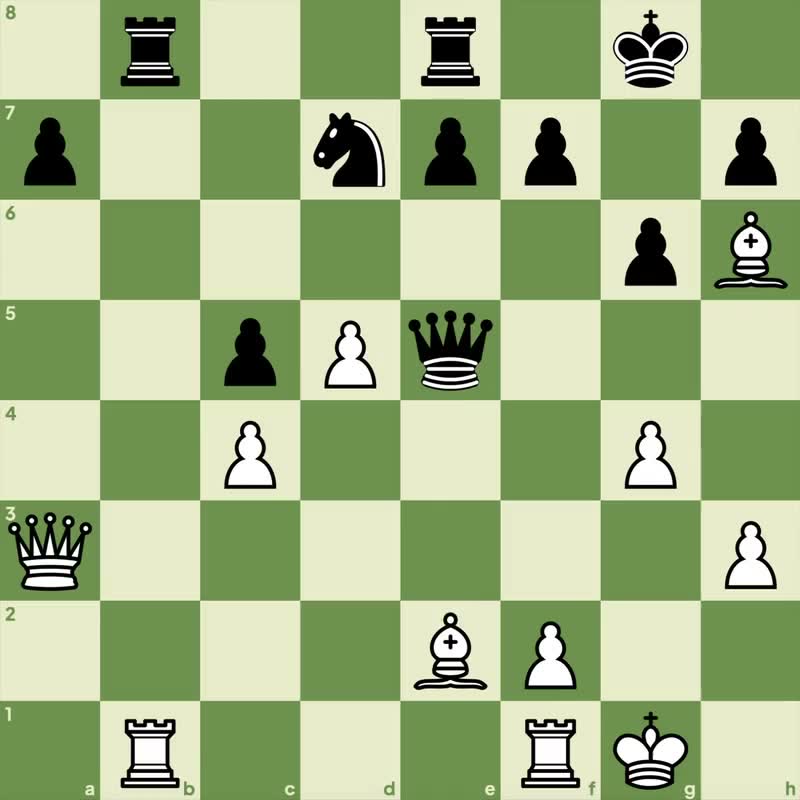
Peekchess is a chess puzzle app that trains calculation. The board stays in view and the pieces don't move. You calculate each line in your head, so you learn to see ahead and stop blundering.
I built it out of an exercise I'd been doing by hand with my students for years, so read this entry with that in mind. The board stays still. The puzzle's first moves land as arrows on that still board, so you start from a position you hold in your head, and then you play every move of the winning line yourself. Each move is checked as you play it, the opponent's reply is drawn as an arrow, there's no clock, and one wrong move ends the puzzle. That's the closest thing to what happens in a real game, where nothing moves until you play it.
It runs in the browser on a computer or a phone, and it isn't in the App Store or Google Play. There are more than 6 million puzzles. The free plan has 10 rated puzzles a day with a free account, and Peekchess Pro is $7.99 a month or $59.99 once for life. There are no games to play, no courses and no master games, so it sits next to Chess.com or Lichess rather than replacing either.
2. Chess.com, the biggest place to play
If you want a game in your browser, Chess.com is the obvious first stop. It says it hosts more than ten million games a day, and a free account can play as many as it likes, at every time control, Daily chess included. It does more than play, too. There's a step-by-step lesson curriculum by chess masters, Game Review, where a virtual coach goes through the key moments of your game, and a game database you can search by player or opening, with millions of top games. Its events page is where Chess.com follows top tournaments live.
The catch is the free limits on training. A free account gets the Learn to Play lessons and one other lesson a day, 3 puzzles a day and one full Game Review a day, with ads. Gold, at $6.99 a month or $49.99 a year, removes the ads and makes lessons and puzzles unlimited.
- Best for
- Players who want the busiest site to play on, with lessons and reviews in the same account.
- Cost
- Free to play, with unlimited games. Gold is $6.99 a month, or $49.99 a year.
- Website
- chess.com
Pros
- Unlimited games at every speed, on a free account.
- Lessons in a set order and Game Review.
- A searchable database of top games.
Cons
- 3 puzzles and one full Game Review a day on a free account.
- Ads, unless you pay.
3. Lichess, every job free in one tab
Lichess is the one site that does almost every job on this page for nothing. Games at every speed and 8 variants, unlimited puzzles you can solve without an account, lessons in the basics, studies where you annotate and share lines, an analysis board running Stockfish 19 with no limit and a deeper server analysis of 40 games a day. There are no ads and no tracking, and every feature is free for everybody.
Two parts of it get less attention than they deserve. The opening explorer lets you switch between rated games played on Lichess and a masters database of over-the-board games between FIDE-rated players, so you can see what strong players really do in your opening. And the broadcasts page shows top tournaments live, move by move. When I looked on 26 November, signed out, it was showing the FIDE World Chess Championship and the London Chess Classic.
- Best for
- Anyone who wants to play, solve, analyze and follow events, all free.
- Cost
- Free, every feature, for everyone. A Patron account is optional support.
- Website
- lichess.org
Pros
- No ads and no limits.
- Live tournament broadcasts.
- Unlimited engine analysis.
Cons
- Lessons stop at the basics.
- Less hand-holding than Chess.com.
4. ChessTempo, unlimited solving and a big game database
ChessTempo is the site for someone who wants to do a lot of serious work for free. A free account gets unlimited tactics a day from 110,000+ problems, unlimited online games, and engine analysis of every rated game you play. Around that there's opening training, 17k+ endgame positions to practice and a game database of 5m+ games. It isn't the friendliest site to find your way around at first, and the paid plans, with Gold from $4 a month, add things like spaced repetition. I couldn't find live event coverage on it.
- Best for
- Players who want unlimited free tactics plus a game database in one account.
- Cost
- Free, with unlimited tactics a day from 110,000+ problems. Gold is from $4 a month.
- Website
- chesstempo.com
Pros
- Unlimited free tactics and online games.
- Endgames, openings and a 5m+ game database.
Cons
- You need an account first.
- It takes a while to learn your way around.
5. Chessable, courses you work through in the browser
Chessable is where you go to learn from a course, the way you'd work through a chess book with someone checking your answers. It has over 1,000 courses, and its MoveTrainer brings the positions back with spaced repetition until they stick. It's free to sign up, with dozens of free courses, but most courses cost money, either one by one or through Chessable PRO. You can't play games on it, and it isn't the place for master games or live events. It does one job, and does it well.
- Best for
- Players who want a course by a human author, worked through in order.
- Cost
- Free to sign up, with dozens of free courses. Most courses are paid, one by one or with Chessable PRO.
- Website
- chessable.com
Pros
- Over 1,000 courses.
- Spaced repetition, so the lines come back.
Cons
- Most courses cost money.
- No games to play.
6. 365Chess, master games and an opening explorer
365Chess is the site on this list I'd open to look things up. It holds 4.4 million games, and you can search them by player or look for tournaments by name, date, country and the average rating of the players. The opening explorer lets you go through the whole database from any position, move by move. There are puzzles, an analysis board, openings practice and games against the computer as well, but on the free plan those are limited, and the page doesn't say by how much.
It describes itself as free for every player and more for supporters. Supporters get the Masters Database, which holds only games of players rated 2,400 or more, plus PGN downloads, their own database and no ads, since the free site shows a few. You can browse without an account.
Which chess website should you use?
- Pick Peekchess if you want to work out the whole line in your head while the board stays still.
- Pick Chess.com if you want the busiest place to play, with lessons and Game Review beside your games.
- Pick Lichess if you want to play, solve, analyze and watch top events with no ads and nothing to pay.
- Pick ChessTempo if you want unlimited free tactics and a game database in one account.
- Pick Chessable if you'd like to learn from a course with spaced repetition.
- Pick 365Chess if you mostly want to look up master games and openings.
Most people end up with two tabs, one to play in and one to get better in. If puzzles are your main thing, I've compared more places in the best chess puzzle websites. For the two big sites side by side, see Lichess vs Chess.com, and if you want one place to settle into rather than a tab for each job, see the best chess platforms. Analysis boards, explorers and other kit are in the best chess tools.
Questions about chess websites
If you're still choosing where to solve puzzles, here are the best chess puzzle apps in 2026.
Where can I watch top chess tournaments live online?
Lichess has a free page of live tournament broadcasts, which I could open without signing in. Chess.com has an events page for following top tournaments too.
Which chess website has a database of master games?
365Chess has 4.4 million games you can search by player and tournament, with a Masters Database of players rated 2,400 or more for supporters. Chess.com has a database of millions of top games, ChessTempo has 5m+ games, and the Lichess opening explorer has a masters database.
Can I play chess in my browser without downloading anything?
Yes. Chess.com and Lichess both let you play unlimited games in the browser, at every time control. Every site on this page works in a browser on a computer or a phone.
Which chess website is best for improving, not just playing?
Peekchess, if your problem is missing things in your games. The board stays still and you play the whole line yourself with no clock. Pair it with Chess.com or Lichess for games.
Is a chess website the same as a chess platform or a chess tool?
Not quite. A website is anything you open in a browser tab. A platform is somewhere you'd make your home, with an account, ratings and history. A tool does one job, like an analysis board or an opening explorer. Many sites are all three.
Sources for this comparison
- Chess.com, membership levels, how puzzles work, game database, events and about
- Lichess, features, broadcasts and its explorer wording in the Lichess source code
- ChessTempo, home page and memberships
- Chessable, home page
- 365Chess, home page and supporter plans
- Peekchess pricing